New subscriber 🇺🇸now
Quillo
Annual Pro · $59.99
Tivro for App Store Connect
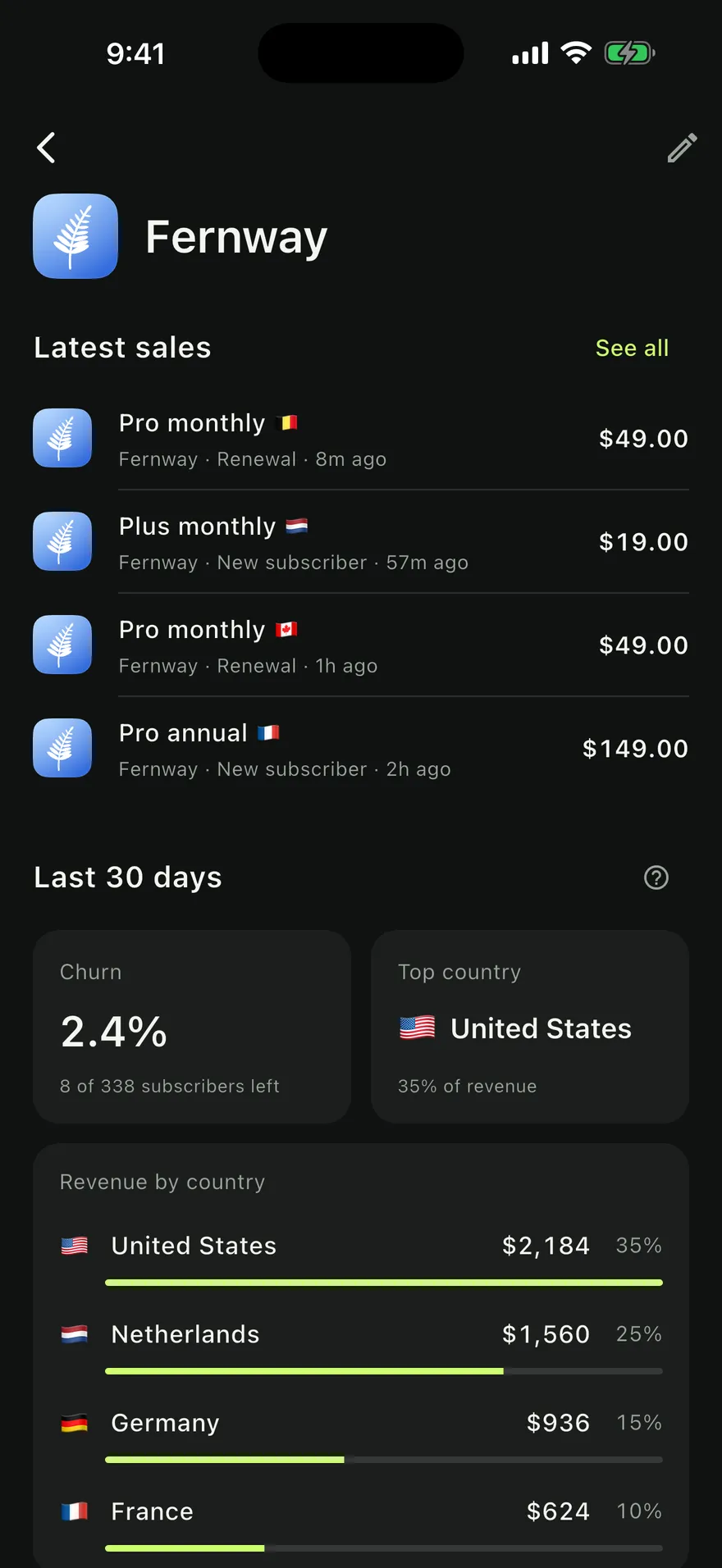
Tivro connects to App Store Connect with an API key and taps your iPhone and Apple Watch for every new subscriber, purchase, trial, renewal and refund in your apps. Apple’s App Store Server Notifications bring each sale in within seconds, and you don’t need RevenueCat.

Free download. Explore with sample data, then 14 days free.
Or scan with your
iPhone’s camera

How it works
In App Store Connect, open Users and Access › Integrations › App Store Connect API, then Team Keys. Name it Tivro and choose Admin access, or Sales or Finance. Download the key: Apple offers it only once.
In Tivro, tap Add a business › App Store and add the Issuer ID, the Key ID, the .p8 file and the vendor number from the top of Payments and Financial Reports. Each app you pick becomes a business, with its own icon.
With an Admin key, Tivro points your apps’ App Store Server Notifications at itself. With Sales or Finance, paste the link Tivro shows into each app’s App Information in App Store Connect.
What you get
Within seconds with instant sales, which use Apple’s App Store Server Notifications. Without them, Apple’s daily sales reports bring sales in the next day. Connecting brings in your apps’ last 90 days, from Apple’s daily sales reports.
New subscriber 🇺🇸
$59.99
Quillo · Annual Pro
What Tivro reads
Tivro asks App Store Connect for the least it needs to show a sale, and nothing that could move money, change prices or reach your customers.
What Tivro writes. With an Admin key, Tivro sets an app’s App Store Server Notifications address, and only when nothing else receives them. Disconnecting the app clears it again.
Tivro never keeps your customers’ names, email addresses or payment details. Access keys and tokens are stored encrypted and only used to read your sales. Privacy policy
Questions
Connect your App Store Connect account to Tivro with a Team Key and turn on instant sales. Apple then sends each transaction to Tivro through App Store Server Notifications, and Tivro taps your iPhone and Apple Watch within seconds, with the product, the amount and the buyer’s country.
No. Tivro reads sales straight from Apple. If you already use RevenueCat, you can connect that instead: an app connects either through RevenueCat or straight to the App Store, never both, so no sale counts twice.
Admin lets Tivro turn on instant sales for your apps by itself. Sales or Finance work too; you then paste one link per app into App Store Connect yourself. Tivro uses the key only to read your apps and their sales.
Tivro leaves the address alone. That app’s sales come in from Apple’s daily reports the next day instead of within seconds. To get them instantly, forward Apple’s notifications from your server to the link Tivro shows for the app.
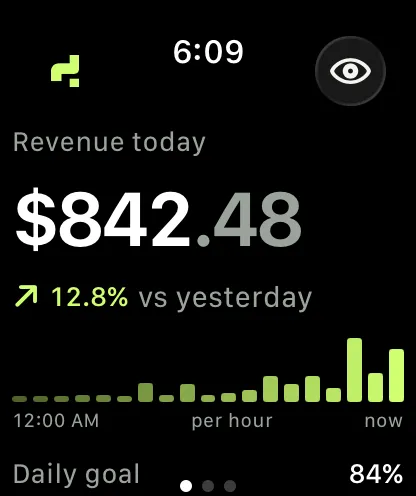
Yes. Each sale taps your wrist, the watch app shows today’s revenue and MRR for each app, and complications put today’s revenue on your watch face.

Tivro for iPhone and Apple Watch.
Free download. Explore with sample data, then 14 days free.
Or scan with your
iPhone’s camera