For indie app developers
Ship the app.
Feel every sale.
Tivro brings your App Store sales to your iPhone and Apple Watch within seconds, straight from Apple or through RevenueCat. Each app is a business with its own icon, and the Overview adds them up, with your MRR, in your currency.

Free download. Explore with sample data, then 14 days free.
Or scan with your
iPhone’s camera
New subscriber 🇯🇵
$39.99
Orbitly · Plus yearly
The gap
Apple tells you
the next day.
Apple’s own tools are built for running an app, not for feeling its sales.
- The App Store Connect app notifies you about app status, reviews, TestFlight feedback and featuring, but not sales.
- Sales and Trends shows the last 24 hours generally within two hours, and the reports are ready the next day.
- App Store Server Notifications reach a server within seconds of a purchase. Tivro is that server, and taps your wrist.
Built for apps
Every app,
side by side.
- Straight from AppleA Team Key from App Store Connect is all Tivro needs. With Admin access, it turns on instant sales for you.
- Or through RevenueCatSign in with RevenueCat and pick your projects. Each becomes a business with its App Store icon.
- Each kind, its own feelNew subscribers, trials, renewals, one-time purchases and refunds, each with its own sound and haptic.
- Web sales tooSell a web version through Stripe, Paddle, Polar or Mollie? Add it to the same business; a purchase RevenueCat also reports counts once.
Your numbers
MRR, trials
and countries.
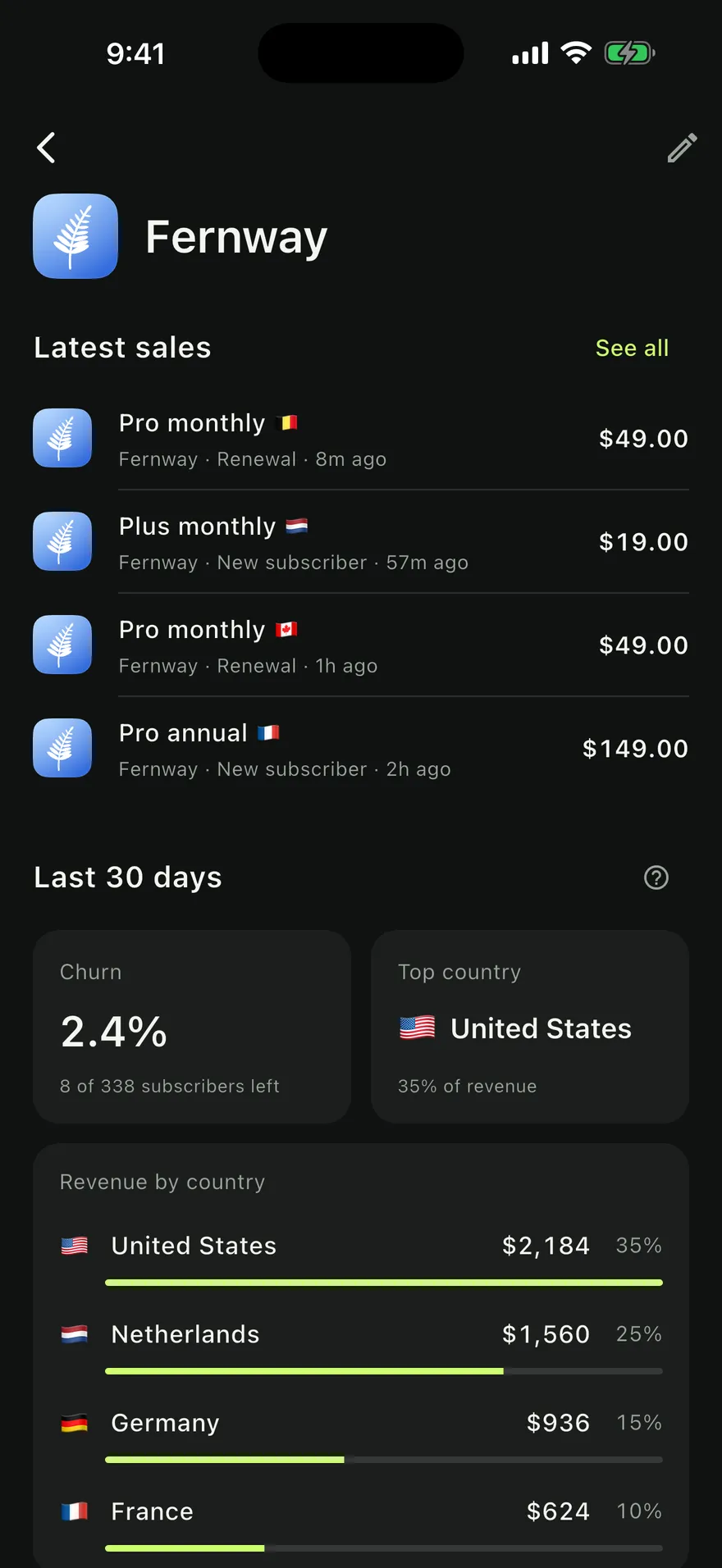
For every app: revenue today and over 7, 30 or 90 days, MRR, active subscribers, churn and where your buyers are, in your currency.
- Milestones. An alert when an app passes $1K MRR or 1,000 subscribers, with a card to share.
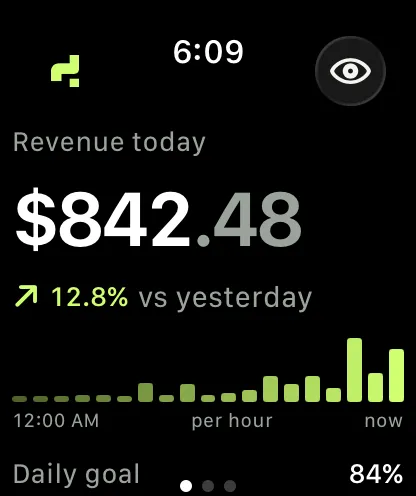
- On your watch face. Revenue today against your daily goal, in four complication shapes.
- On your Lock Screen. Revenue today and MRR widgets, private with one setting.
How it works
On your wrist
before the coffee.
- 1
Create a Team Key
In App Store Connect, under Users and Access › Integrations › App Store Connect API. Or sign in with RevenueCat.
- 2
Add it to Tivro
Enter the Issuer ID, Key ID and vendor number and pick the .p8 file. Each app becomes a business with its last 90 days.
- 3
Turn on instant sales
Tivro sets each app’s notifications address for you with an Admin key, so every sale arrives within seconds.
Questions
Questions,
answered.
Can I get a notification for every App Store sale?
Yes. Apple’s App Store Connect app notifies you about reviews, app status and TestFlight, not sales. Tivro gets each sale from App Store Server Notifications, usually within seconds, and taps your iPhone and Apple Watch with the product, the amount and the buyer’s country.
Do I need RevenueCat?
No. Tivro connects straight to App Store Connect with a Team Key. If your apps already use RevenueCat, connect that instead; each app connects one way or the other, never both, so nothing counts twice.
My app already sends its server notifications to RevenueCat or my own server. Does that matter?
Apple allows one production notifications address per app, and Tivro leaves an address that’s already set alone. That app then gets its sales from Apple’s daily reports, the next day, or you connect it through RevenueCat for alerts within seconds.
Can I see each app on its own and all of them together?
Yes. Each app is a business in Tivro, with its own icon, revenue, MRR and subscribers, and the Overview adds them all up in your currency. Founder covers 3 businesses; Serial Founder covers every app you have.
Does Tivro show what Apple pays me, or what customers paid?
What customers paid, converted to your currency. Apple’s commission and tax come out before you’re paid; the App Store proceeds calculator works out what you keep.

Your next sale
is a tap away.
Tivro for iPhone and Apple Watch.
Free download. Explore with sample data, then 14 days free.
Or scan with your
iPhone’s camera