New subscriber 🇺🇸now
Fernway
Pro annual · $149.00
Sales alerts
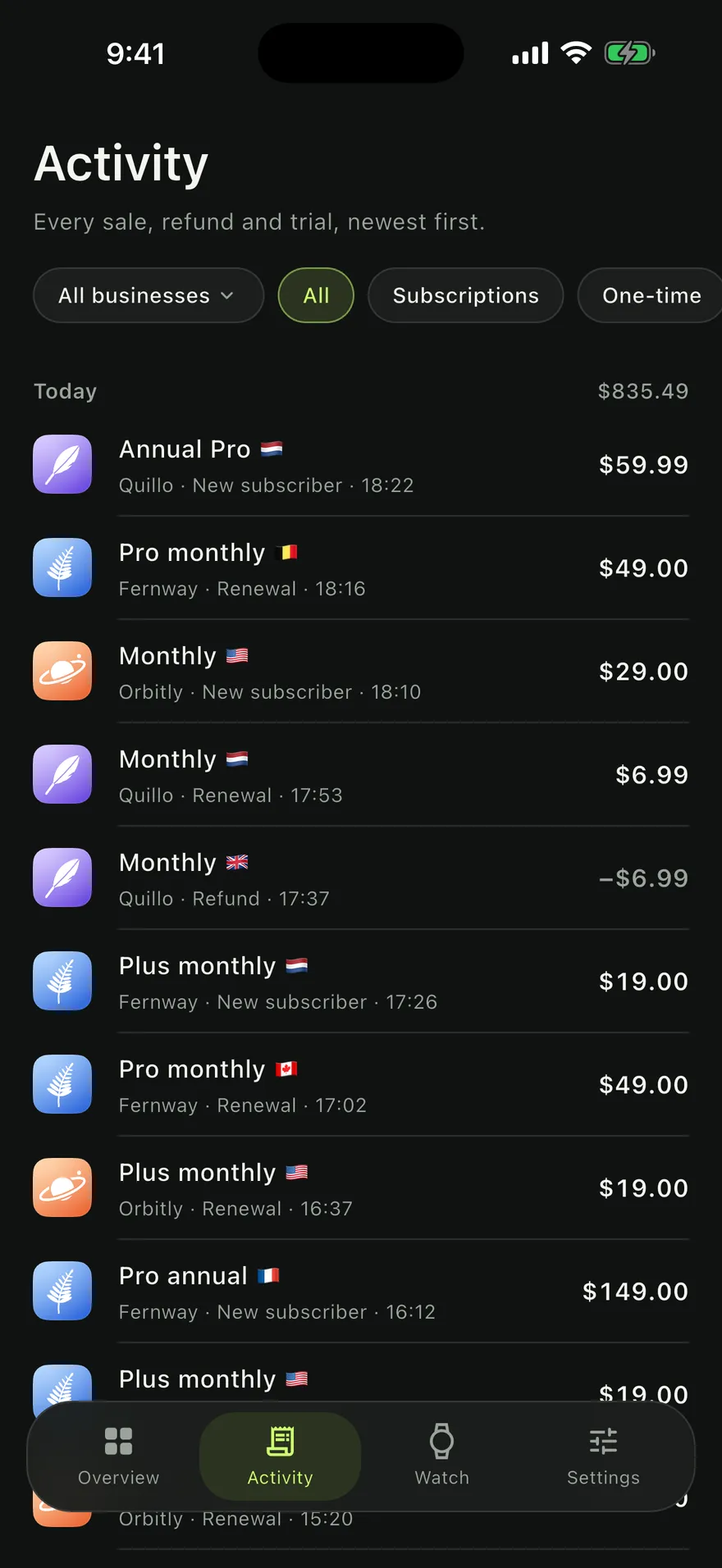
Tivro sends a notification to your iPhone and Apple Watch the moment someone pays, from the App Store, RevenueCat, Stripe, Paddle, Polar or Mollie. New subscribers, one-time sales, trials, renewals and refunds each have their own sound and tap, so you know what happened before you look.

Free download. Explore with sample data, then 14 days free.
Or scan with your
iPhone’s camera

Sale alerts
Its own sound and tap for new subscribers, one-time sales, trials, renewals and refunds, so you know what happened before you look. Tap one to hear it.
New subscriber 🇳🇱
$59.99
Quillo · Annual Pro
New purchase 🇫🇷
$4.50
Fernway · Credit pack
Trial started 🇨🇦
Free trial
Orbitly · Plus monthly
Renewal 🇬🇧
$19.00
Orbitly · Plus monthly
Refund 🇩🇪
−$6.99
Quillo · Monthly
Every kind
Each kind of sale starts at a level that suits it: new subscribers break through, renewals stay in the app. Change any of them in Settings › Alerts and summaries.
| Kind | When it arrives | Starts as | Sound and tap |
|---|---|---|---|
| New subscriber | A customer’s first paid period, including a trial that converts | Focus | Three-note chime · rising double tap |
| One-time purchase | A one-time purchase, like a lifetime unlock or a credit pack | Buzz | Two-note chime · upward tap |
| Trial started | A free trial starts | Silent | Soft note · start tap |
| Renewal | Every paid period after the first | Off | Soft note · light click |
| Refund | Money goes back to a customer | Silent | Soft note · downward tap |
More than sales
One quiet note with yesterday’s revenue, sales and MRR, at the hour you choose between 5 and 11 AM.
An alert when MRR or subscribers pass a round number, and when a day beats your best. About milestones
Send yourself any kind of alert, on iPhone or Apple Watch, to hear and feel it before a real sale does.
Get started
Explore with sample data, then sign in with Apple. No password, and no email address.
The App Store, RevenueCat, Stripe, Paddle, Polar or Mollie. Each account takes about a minute.
Choose a plan, allow notifications and send a test alert. The next sale taps your wrist.
Questions
Download Tivro, sign in with Apple and connect the accounts you sell through: the App Store, RevenueCat, Stripe, Paddle, Polar or Mollie. From then on, each sale sends a notification to your iPhone, and to your Apple Watch when your iPhone is locked, usually within seconds.
Yes. With Tivro sounds on, new subscribers, one-time sales and the rest each play their own short chime, so you can tell them apart without looking. Turn Tivro sounds off in Settings › Alerts and summaries to use the iPhone’s standard sound.
Set that kind of sale to Focus. Tivro then sends it as a Time Sensitive notification, which comes through a Focus unless you’ve turned Time Sensitive notifications off for Tivro.
Yes. When your iPhone is locked, each alert taps your wrist with a haptic of its own. With your iPhone unlocked, it shows on the iPhone instead.
Renewals start off, and every kind of sale can be set to Focus, Buzz, Silent or Off in Settings › Alerts and summaries. A sale you don’t get an alert for still shows up in Tivro.
Within seconds for Stripe, RevenueCat, Paddle, Polar, Mollie with an access token, and the App Store with instant sales. With a Mollie API key, Tivro checks every 15 minutes; App Store sales without instant sales arrive the next day.
No. Alerts come with a Tivro membership, along with everything else. You can explore the whole app with sample data before choosing a plan.

Tivro for iPhone and Apple Watch.
Free download. Explore with sample data, then 14 days free.
Or scan with your
iPhone’s camera